Blog
Loading Film: The Digital Record of Your Analog Ritual
🎞️ The Satisfying Click of Closing Your Camera Back, Now With Database Persistence
"What film is in this camera?"
— You, three times a week, minimum
The Core Loop
Here's the thing about analog photography: you load film, you shoot film, you forget what film you loaded, you stress about it, you maybe double-expose accidentally, you develop it, you realize it was Tri-X all along.
Negativo.es interrupts this chaos at the "forget what film you loaded" stage.
When you load film IRL, you load it in the app. When you finish a roll IRL, you finish it in the app. It's like a digital twin of your analog life. Yes, we recognize the irony.
The Load Film Experience
Click the "Load Film" button on any camera card. A dialog opens. Magic happens.
The Flow:
- Select Brand — Kodak, Fuji, Ilford, whoever made your film
- Select Film Stock — The specific emulsion (only shows your collection if you have one)
- Select Format — 35mm, 120, whatever fits your camera
- Confirm Frames — Auto-fills based on format (36 for 35mm, 12 for 120, etc.)
- Click Load — Done. It's in the database. You won't forget.
Smart Defaults:
We're not monsters. We set sensible defaults:
| Format | Default Frames |
|---|---|
| 35mm | 36 |
| 120 | 12 |
| 220 | 24 |
| 4x5 | 1 |
| 8x10 | 1 |
You can change these. Maybe you're shooting half-frame. Maybe your 35mm is 24 exposures. We don't judge. Okay, we judge the 24-exposure people a little.
The Camera Card: Post-Load State
Once film is loaded, your camera card transforms. It now shows:
The Info You Need:
- Film name — "Portra 400" right there, visible
- ISO badge — Quick reference for metering
- Type badge — Color, B&W, Slide, Cinema
- Process indicator — C-41, E-6, B&W, ECN-2
- Format & frames — "35mm • 36 frames"
Tooltips Because We Care:
Hover over things and we'll explain them. "Film sensitivity", "Development process", etc. We assume you know what ISO is, but just in case your friend is borrowing your laptop.
Changing Film Mid-Roll
"But I want to switch films!"
We don't judge your choices. Here's how it works:
Option 1: Finish the Current Roll
Mark it as finished (even if it's not fully shot). Load new film. The old roll goes to your history. This is the "proper" way.
Option 2: Just Swap It
Unload the current film without finishing it. Load new film. The old one... vanishes? Look, we're tracking what's in cameras, not what's in your film drawer. That's a v2 feature.
For Multi-Back Cameras (Premium) 👑
Got a Hasselblad with multiple backs? Each back loads independently.
The Experience:
- Camera has interchangeable backs enabled (premium feature)
- Click "Load Film"
- Select which back to load
- Give it a label if you want ("Color", "B&W", "The Risky One")
- That specific back now has film
On the Camera Card:
Navigate between backs using the carousel. Each back shows its own film status. Like tabs, but for film backs. Revolutionary? No. Useful? Extremely.
Finishing Rolls
Shot all 36 frames? Time to finish the roll.
The Finish Roll Dialog:
- Click the menu on your camera card
- Select "Finish Roll"
- Optional: Add a title for the roll ("Beach Trip 2024")
- Optional: Add notes ("Shot mostly at golden hour, some portraits")
- Click "Finish"
What Happens:
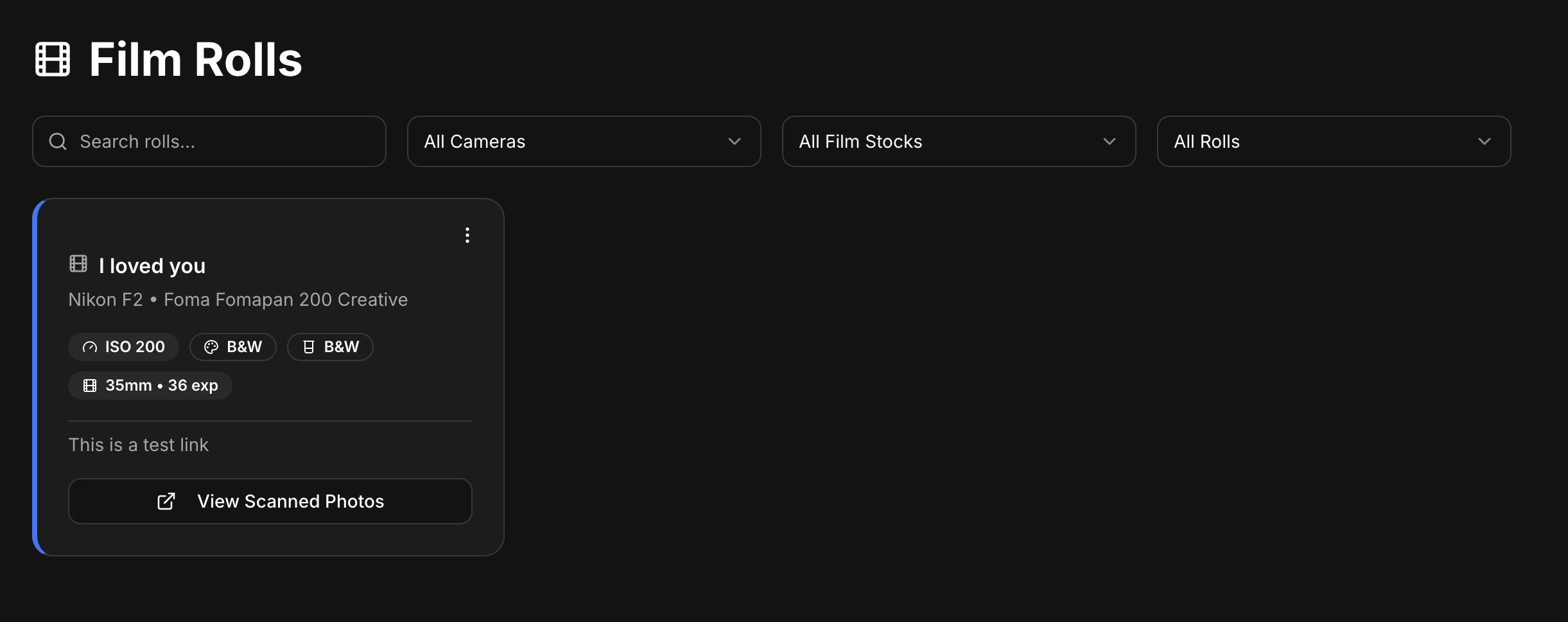
- The roll moves to your Film Rolls History (premium)
- The camera is now empty
- You can load new film immediately
- The cycle continues
The Ritual, Preserved
Here's what we're really offering: a record of your analog process.
Every roll you load, every roll you finish — it's logged. Timestamped. Searchable. For premium users, you can look back and see exactly what you shot, when, with what camera.
It's the metadata your scans don't have. It's the notes you meant to write but didn't. It's the answer to "what was I shooting last March?"
We turned your chaos into data. You're welcome.